Opera Neon is a web browser featuring built-in agents that can research topics, review your open tabs, handle web-based tasks, and create content—all within the browser. The goal is to make browsing more active and focused on getting things done.
Opera Neon’s AI research tools can sort through findings, compare information, and turn scattered sources into organized results. They can save students, professionals, and content creators time on repetitive research tasks. However, an active subscription is required to access the agents.
The browser also works with advanced tools like the Model Context Protocol (MCP) and command-line interfaces (CLI). The browser combines its AI capabilities with familiar browser features, including tab management and other tools for everyday browsing. It’s approachable for users who understand how desktop browsers work, even if the AI agents introduce a learning curve.
AI browsing experience
Overall, Opera Neon is a good fit if you often use AI for work, research, or content creation. Its main appeal is bringing several AI-powered tools together in one browser. As with any AI tool, it’s important to check the information it generates and keep an eye on important actions.
Pros
AI agents for research, automation, and content creation
Opera Neon is a concept browser, meaning a vision for the future of browsers
Opera Neon is a concept browser built from the same browser engine as the Opera browser; it’s designed to allow users to focus on the most important part of the internet: the content. Opera Neon will provide users with fun ways to interact with web content, including the ability to drag and push things around, and even to even pop content out from the web.
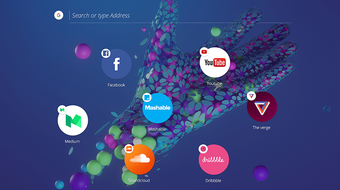
A completely new user interface debuts in Opera Neon. It includes:
-New start page using users’ current desktop background image.
-A left sidebar with video player, image gallery, and download manager.
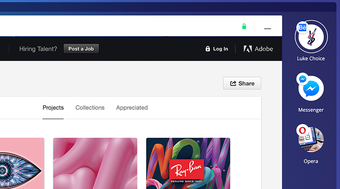
-A new visual tab bar on the right side of the browser window that makes it easier to distinguish between tabs.
-An intelligent system that automatically manages tabs; like gravity, frequently-used tabs float to the top, while rarely-used tabs will sink to the bottom.
-A completely new omnibox, supporting top search engines and open search.
Also, new ways of enjoying web content have been added:
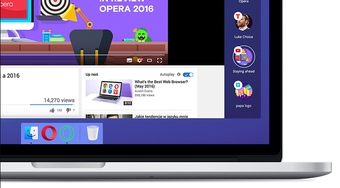
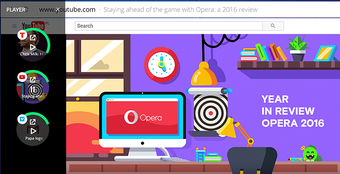
-Video pop-out, which lets users to watch videos while browsing other web pages
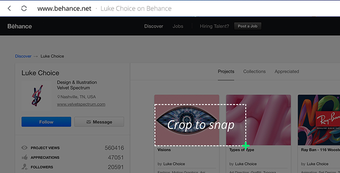
-Snap-to-gallery, which allows users to snapshot and crop any part of a web page and save to the gallery for later use.
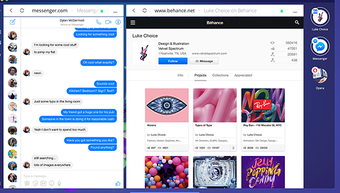
-A split screen mode which allows for two pages to be used simultaneously.
Absolutely love this browser! It's visually appealing, clean and the ease of use. It's fantastic for my ADHD. Lately seems to be a few issues with working in Windows 10.
Laws concerning the use of this software vary from country to country. We do not encourage or condone the use of this program if it is in violation of these laws. Softonic may receive a referral fee if you click or buy any of the products featured here.